- Log in
-
- Sydney Overseas Office
- London Overseas Office
- Toronto Overseas Office
- Los Angeles Overseas Office
- New York Overseas Office
- Ulaanbaatar Overseas Office
- Dubai Overseas Office
- New Delhi Overseas Office
- Manila Overseas Office
- Jakarta Overseas Office
- Hanoi Overseas Office
- Kuala Lumpur Overseas Office
- Singapore Overseas Office
- Bangkok Overseas Office
- Map
- Sydney Overseas Office
- London Overseas Office
- Toronto Overseas Office
- Los Angeles Overseas Office
- New York Overseas Office
- Ulaanbaatar Overseas Office
- Dubai Overseas Office
- New Delhi Overseas Office
- Manila Overseas Office
- Jakarta Overseas Office
- Hanoi Overseas Office
- Kuala Lumpur Overseas Office
- Singapore Overseas Office
- Bangkok Overseas Office
Contents View
-
-
-
VISITKOREA App – Notifications Based on Location-based Information
-
09/29/2025
578
-
5
3
-
-
-
-
Don’t miss out on special offers and deals wherever you are in Korea with the VISITKOREA app!
Get notified on nearby offers, events, attractions, and festivals real-time without having to search online.
Download VISITKOREA app now to never miss out on all Korea has to offer!
Scan the QR code to download the VISITKOREA app!

App Store (iOS) 
Google Play (Android) Once installation is complete, follow the steps below to receive notifications for nearby events and offers.
How to Receive Real-time Notifications
Step 1. Go to app settings
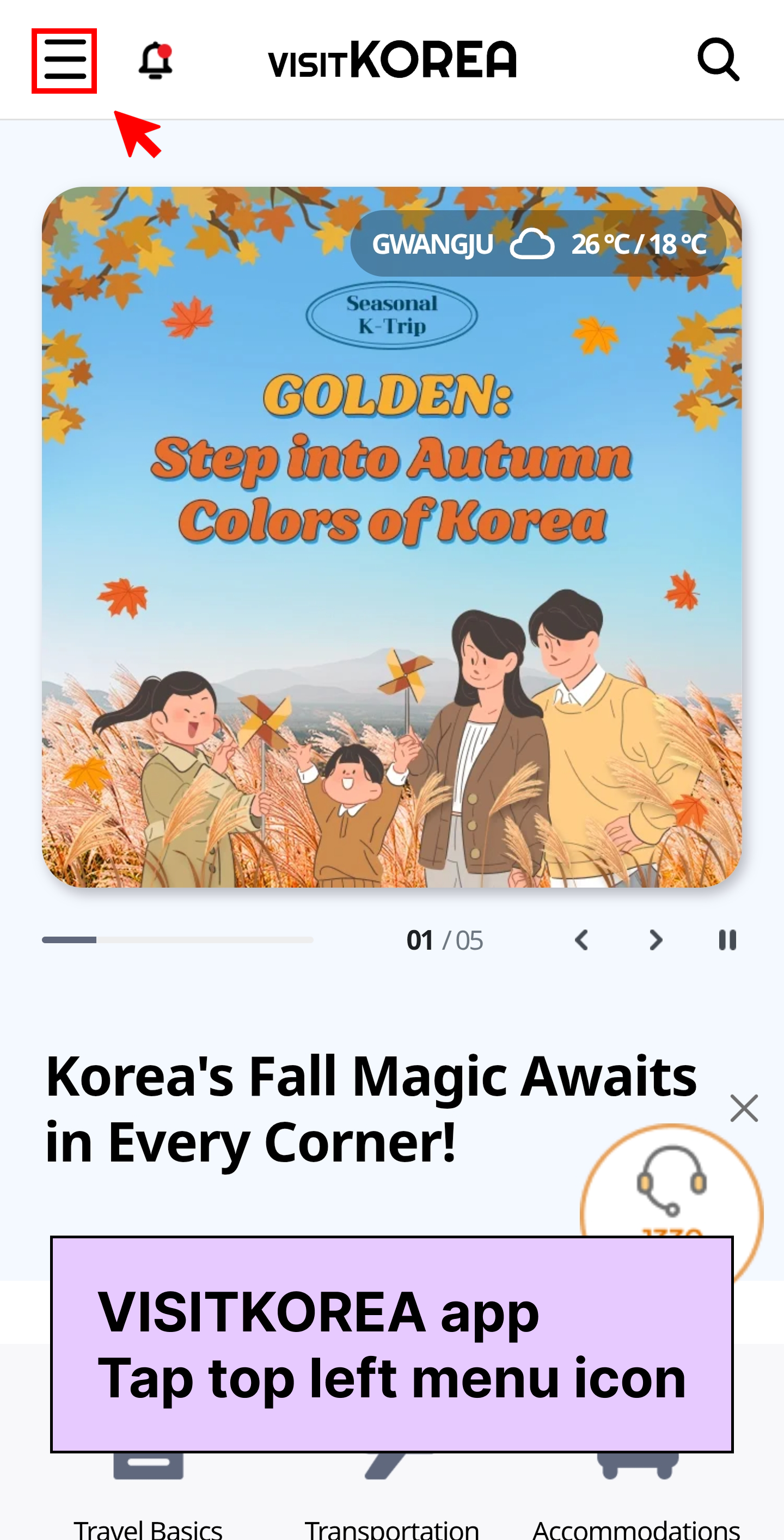
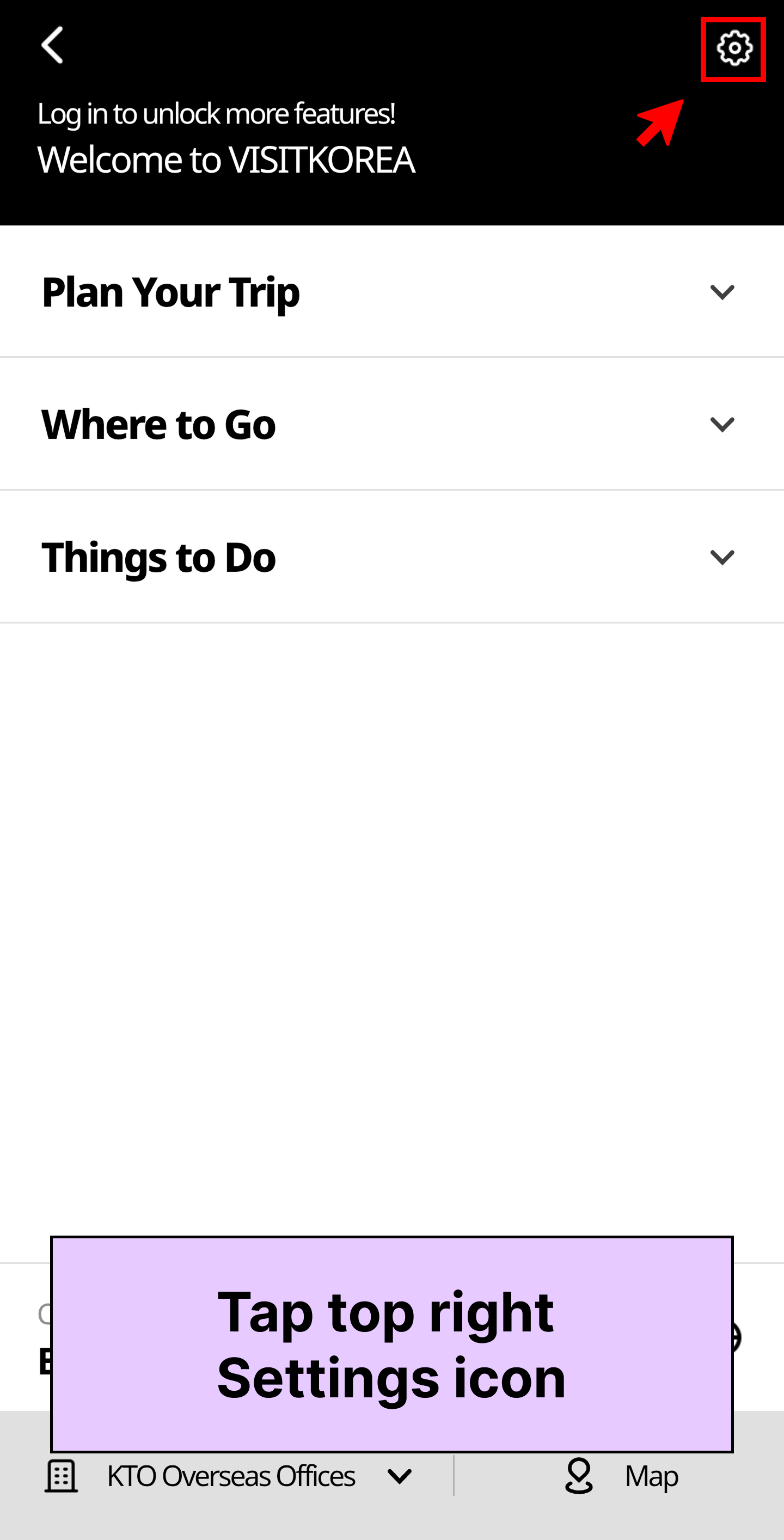
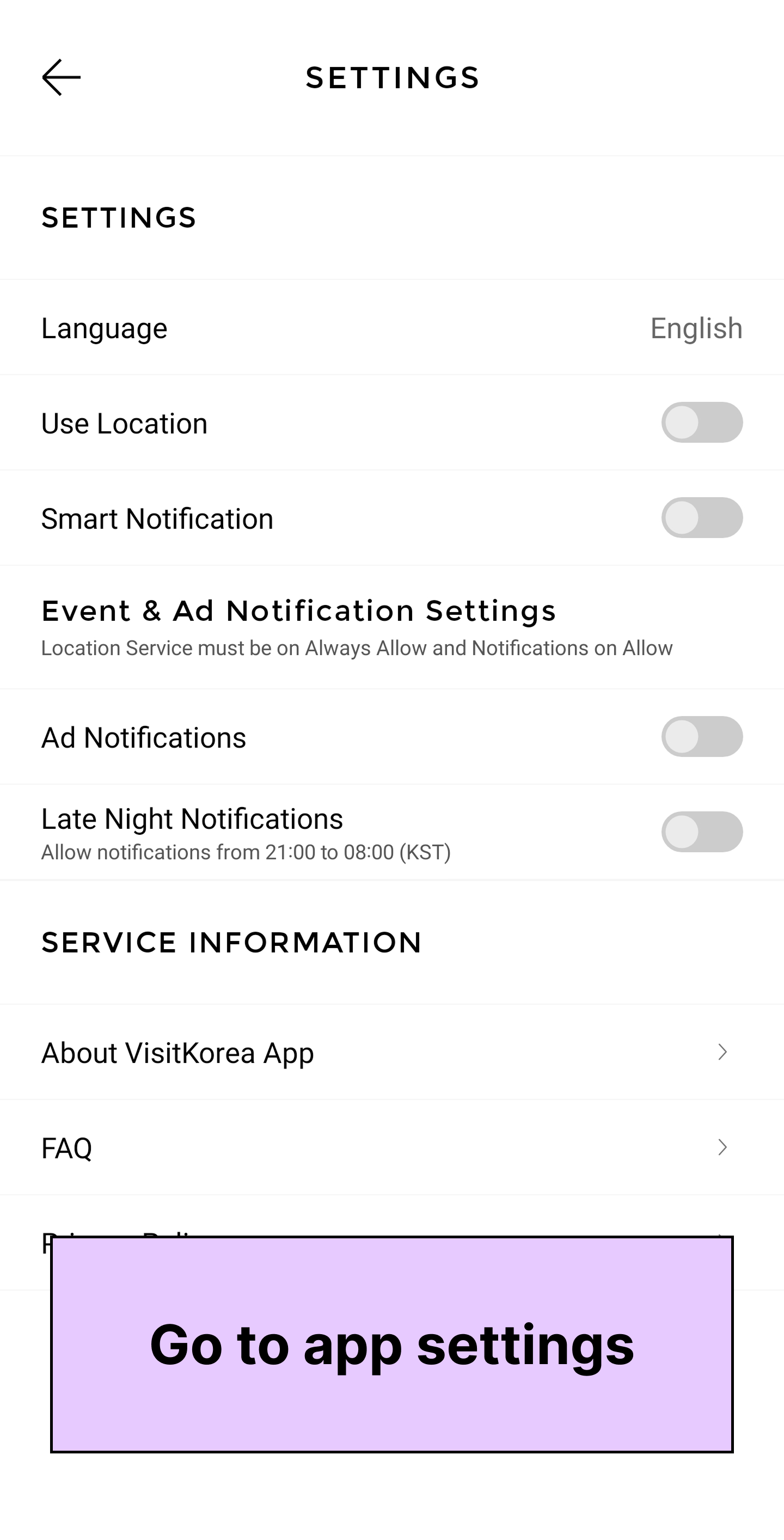
Image: VISITKOREA app screen Go to: VISITKOREA app
 Tap top left menu icon
Tap top right Settings icon
Tap top left menu icon
Tap top right Settings iconStep 2. Set Use Location option to “Always”
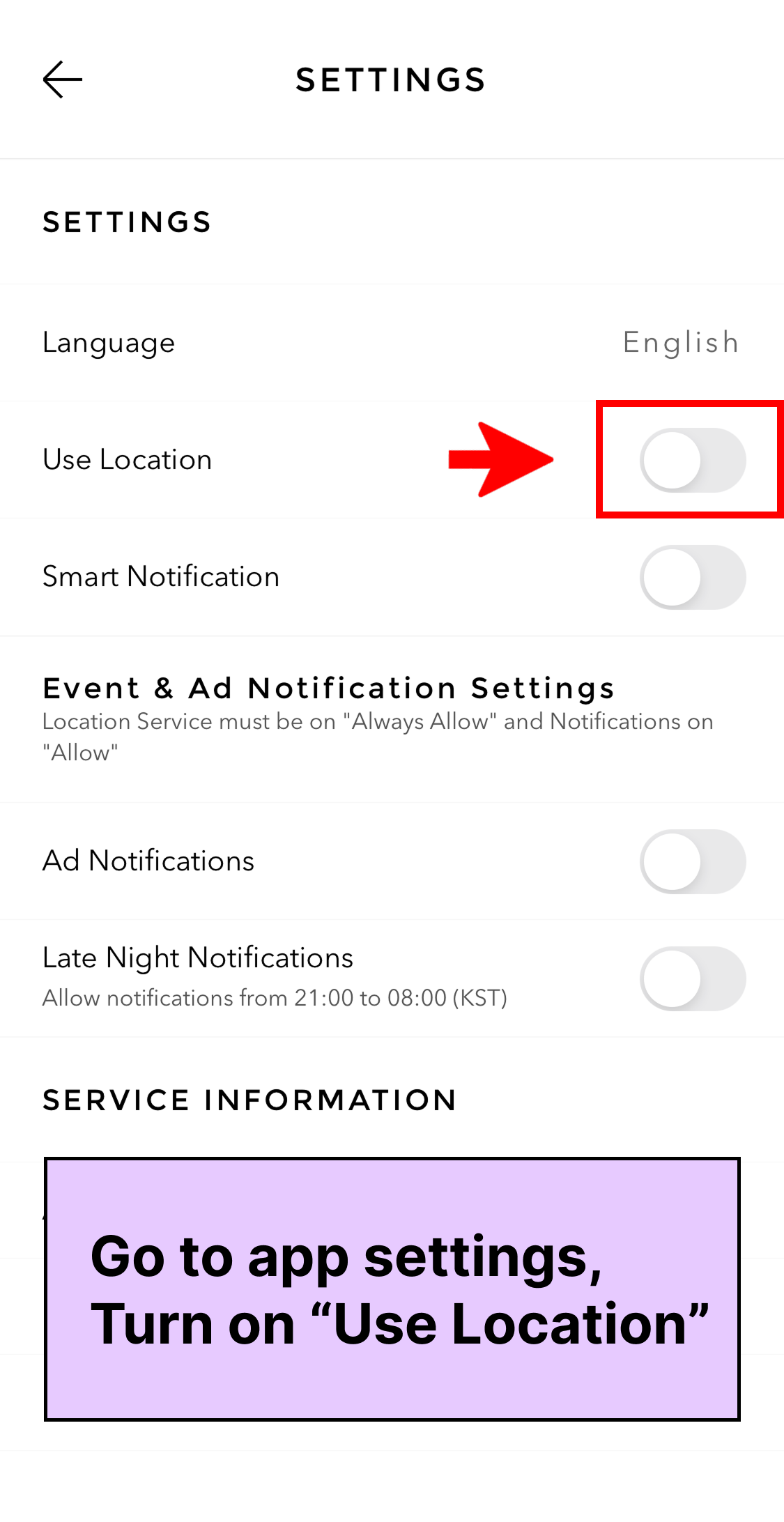
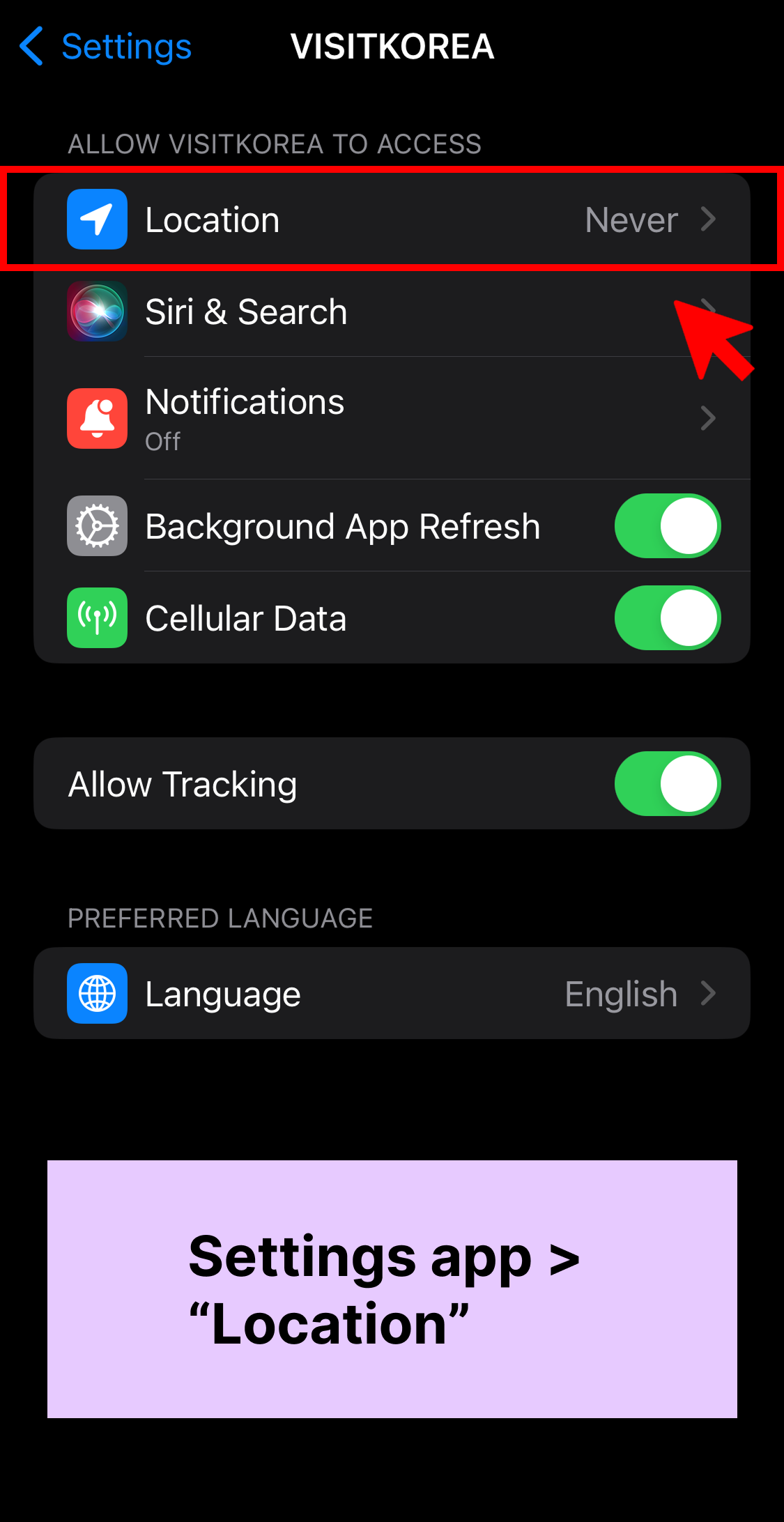
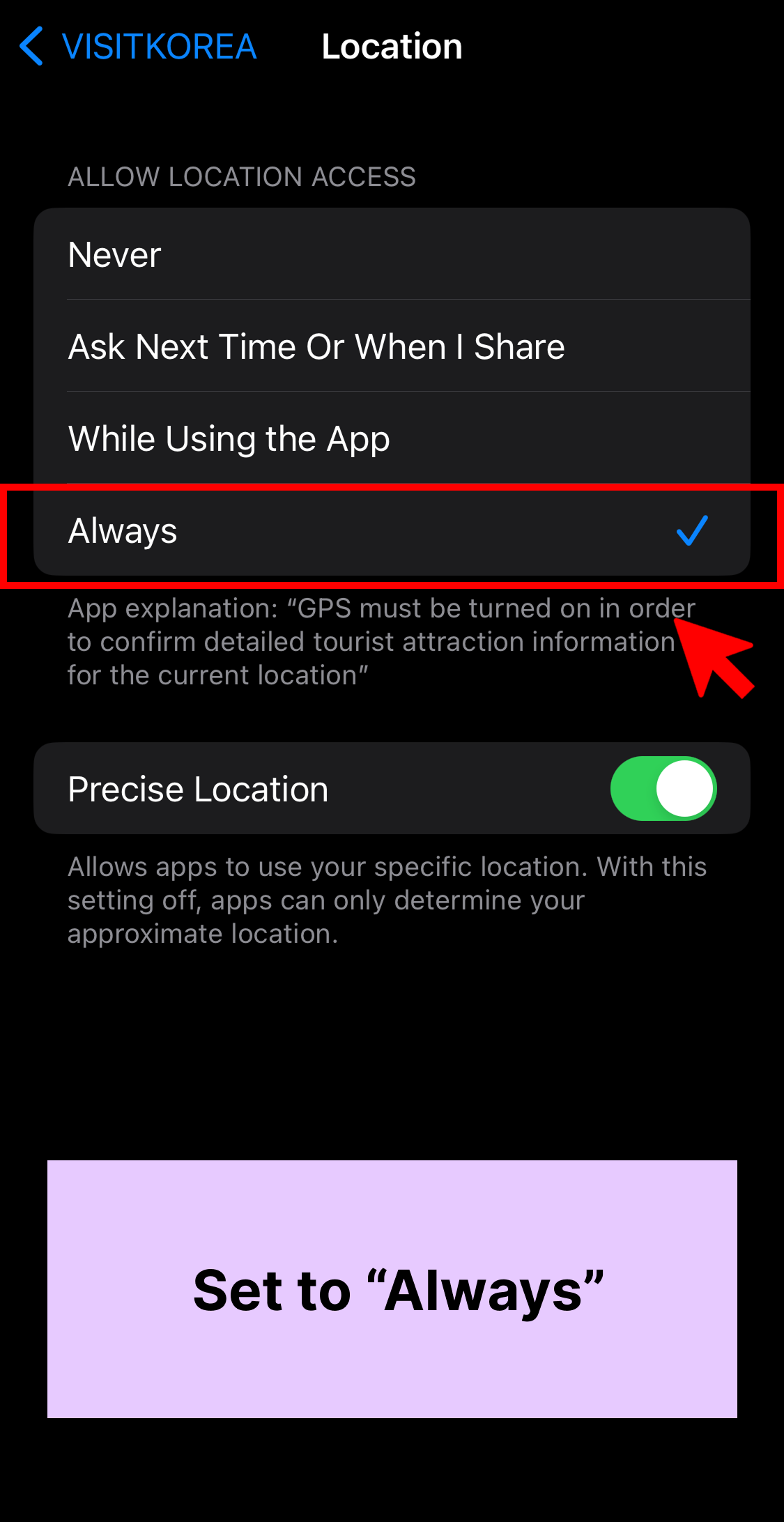
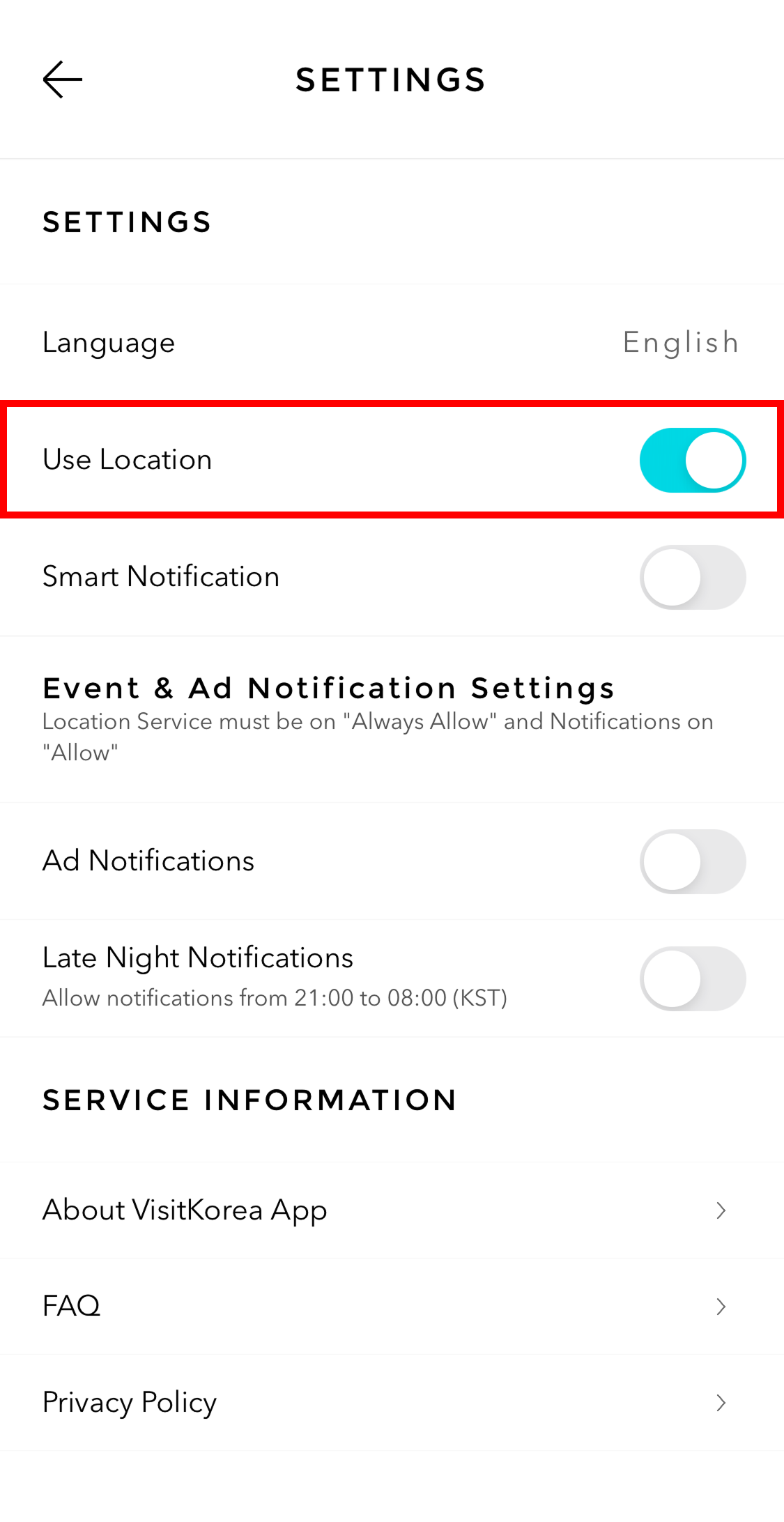
Image: VISITKOREA app screen On iOS: Go to app settings
* If you allow notifications on your phone’s Settings app, VISITKOREA app’s notification settings will be on by default. Turn on “Use Location”
Settings app
Location
Set to “Always”
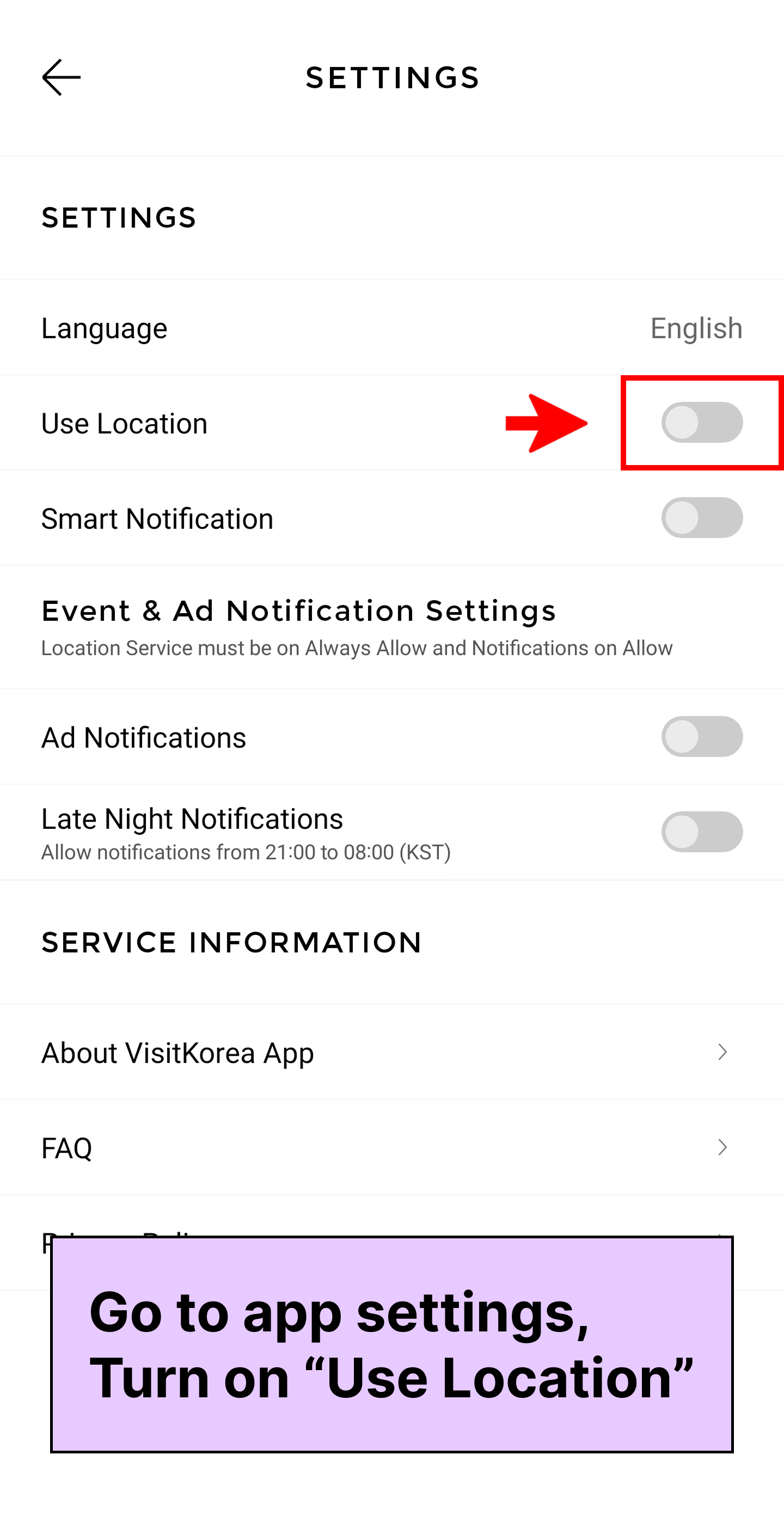
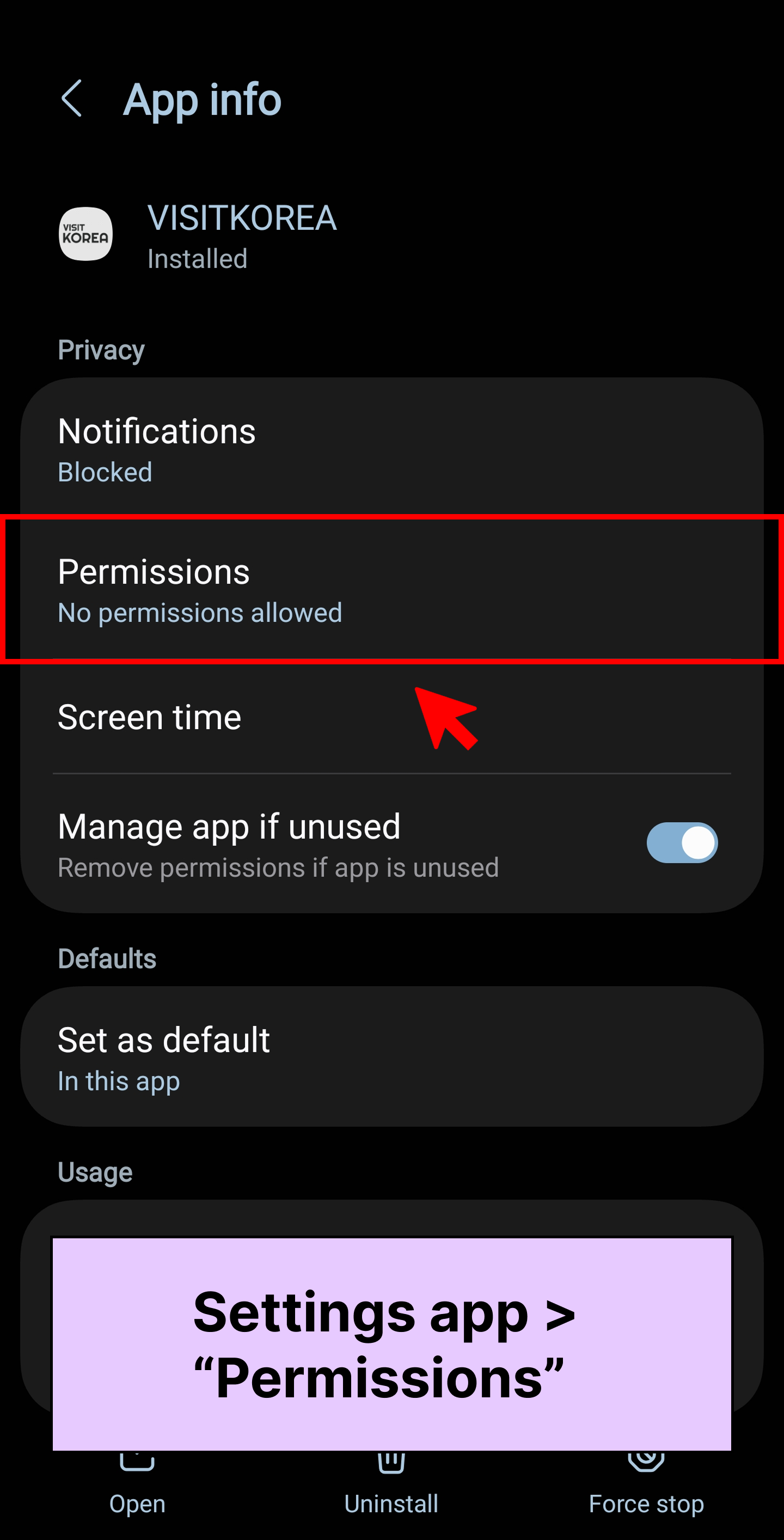
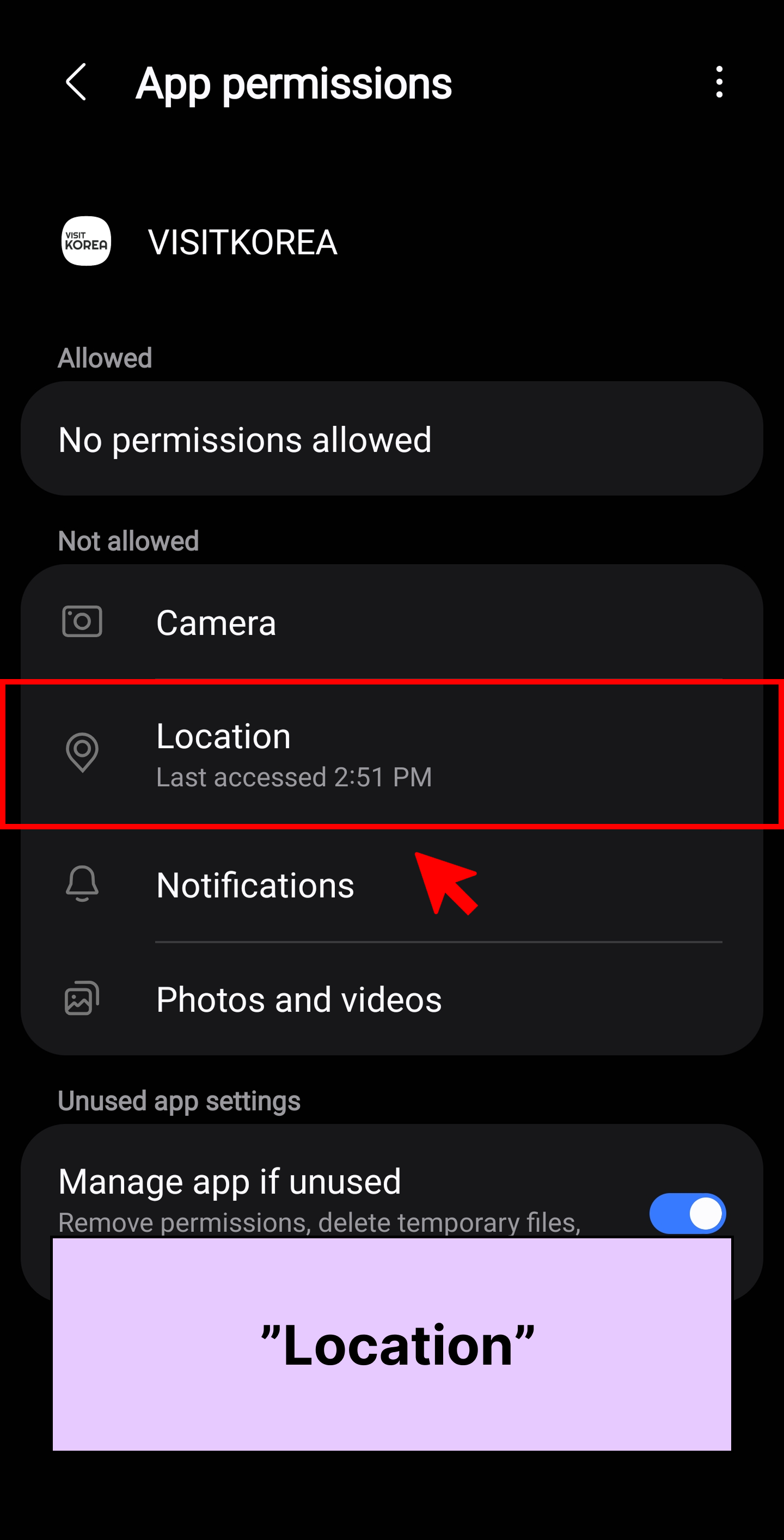
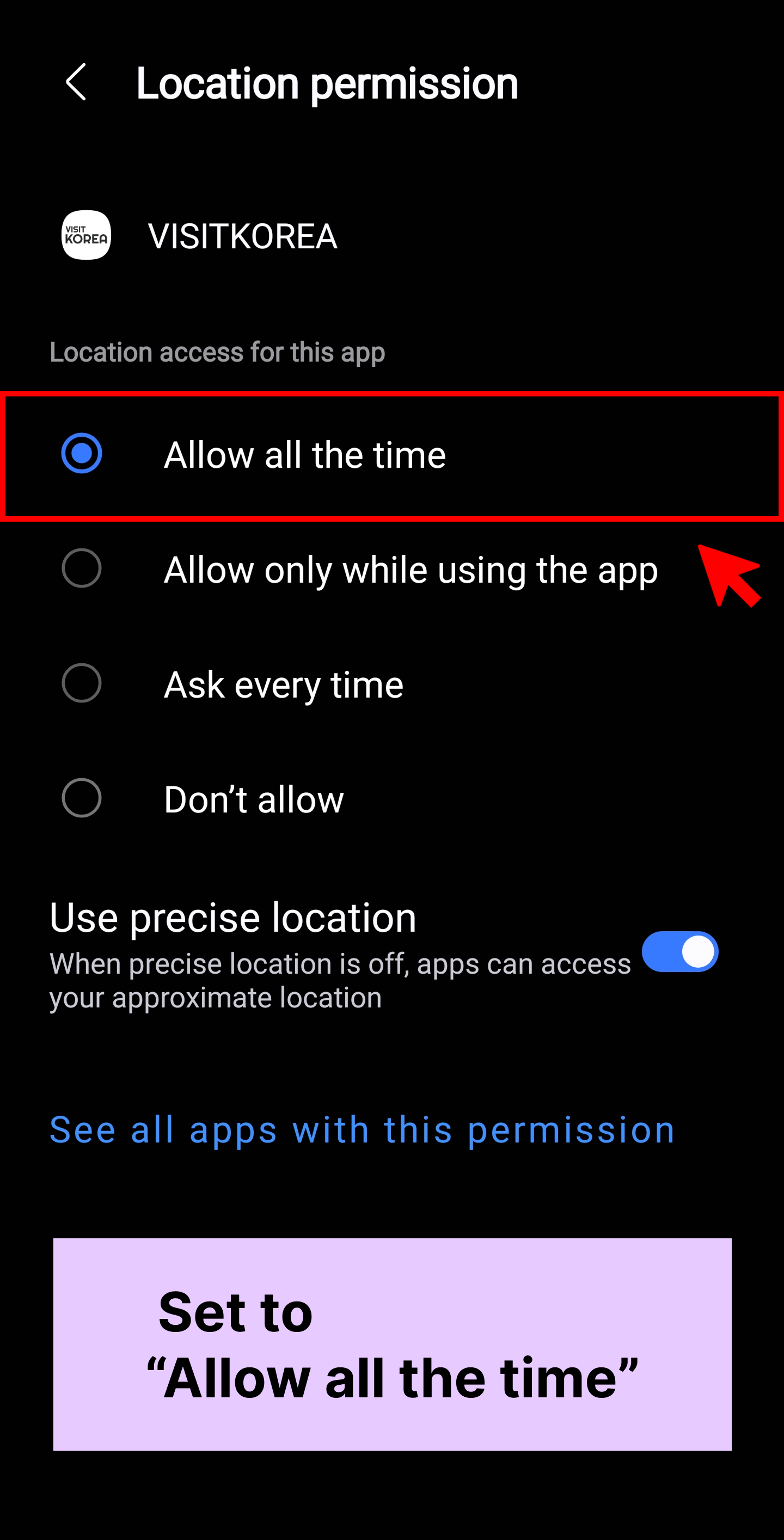
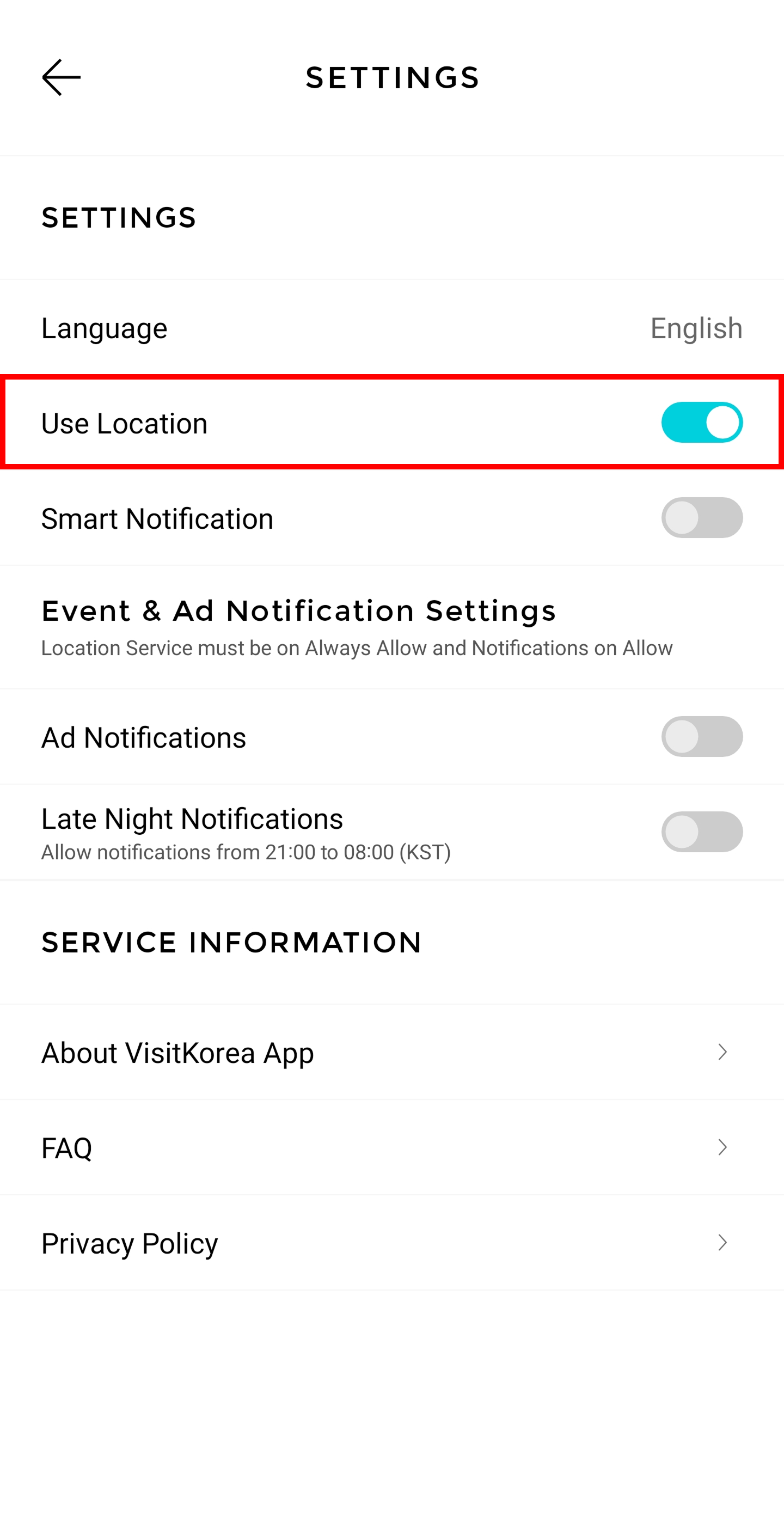
Image: VISITKOREA app screen On Android: Go to app settings
* If you allow notifications on your phone’s Settings app, VISITKOREA app’s notification settings will be on by default. Turn on “Use Location”
Settings app
Permissions
Location
Set to “Allow all the time”
Location settings should always be on in order to receive notifications on useful information and special offers around you.
Step 3. Allow Smart Notifications
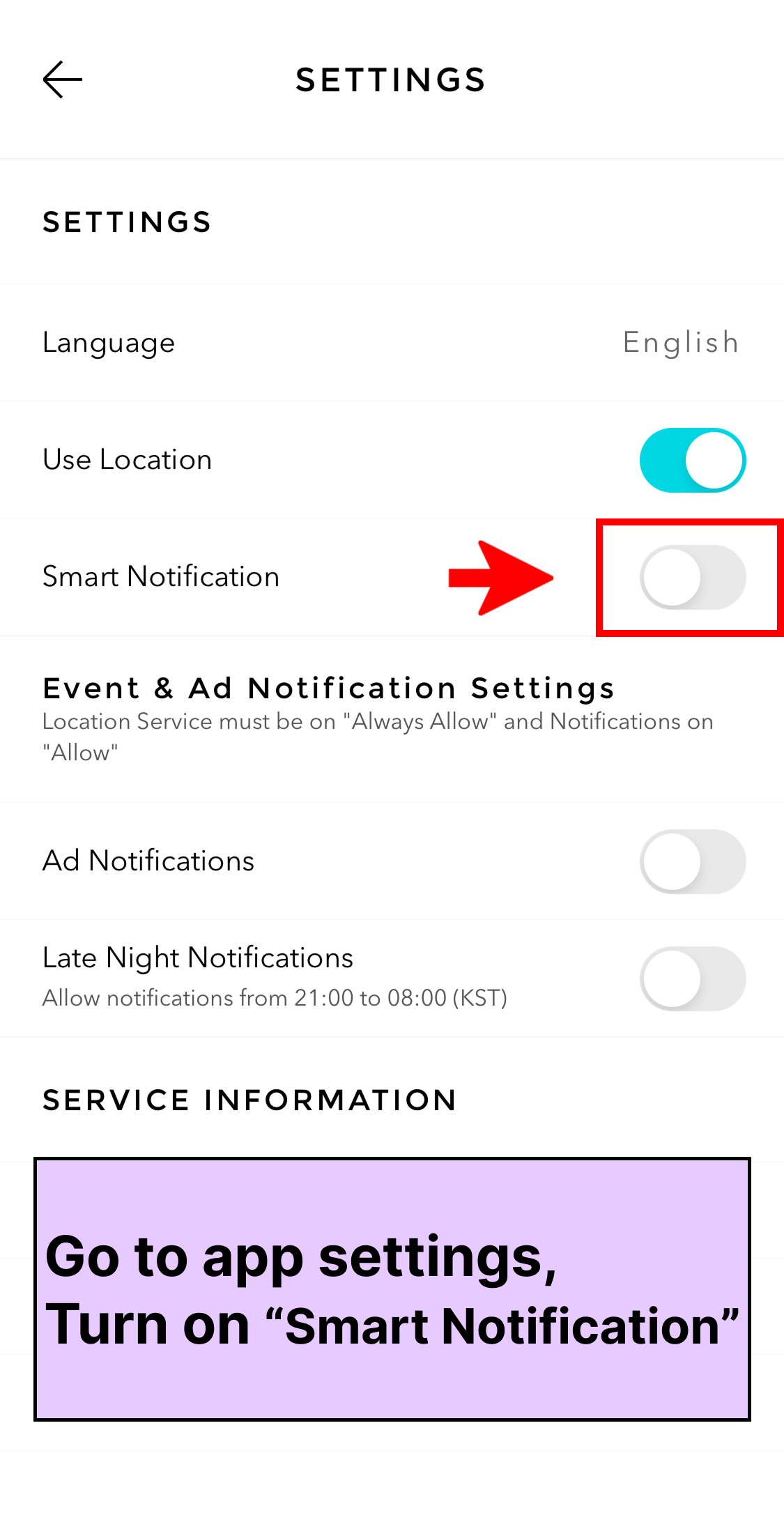
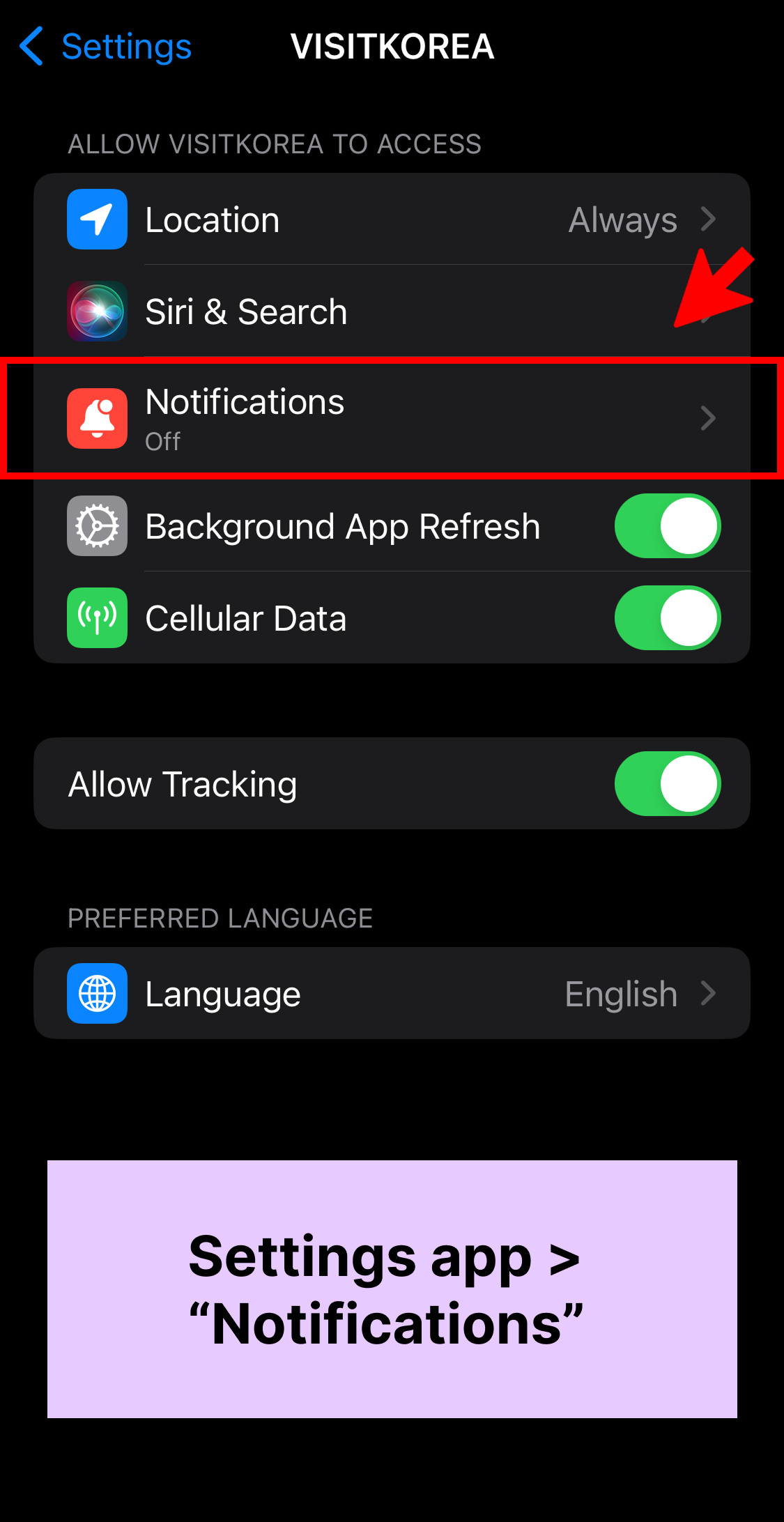
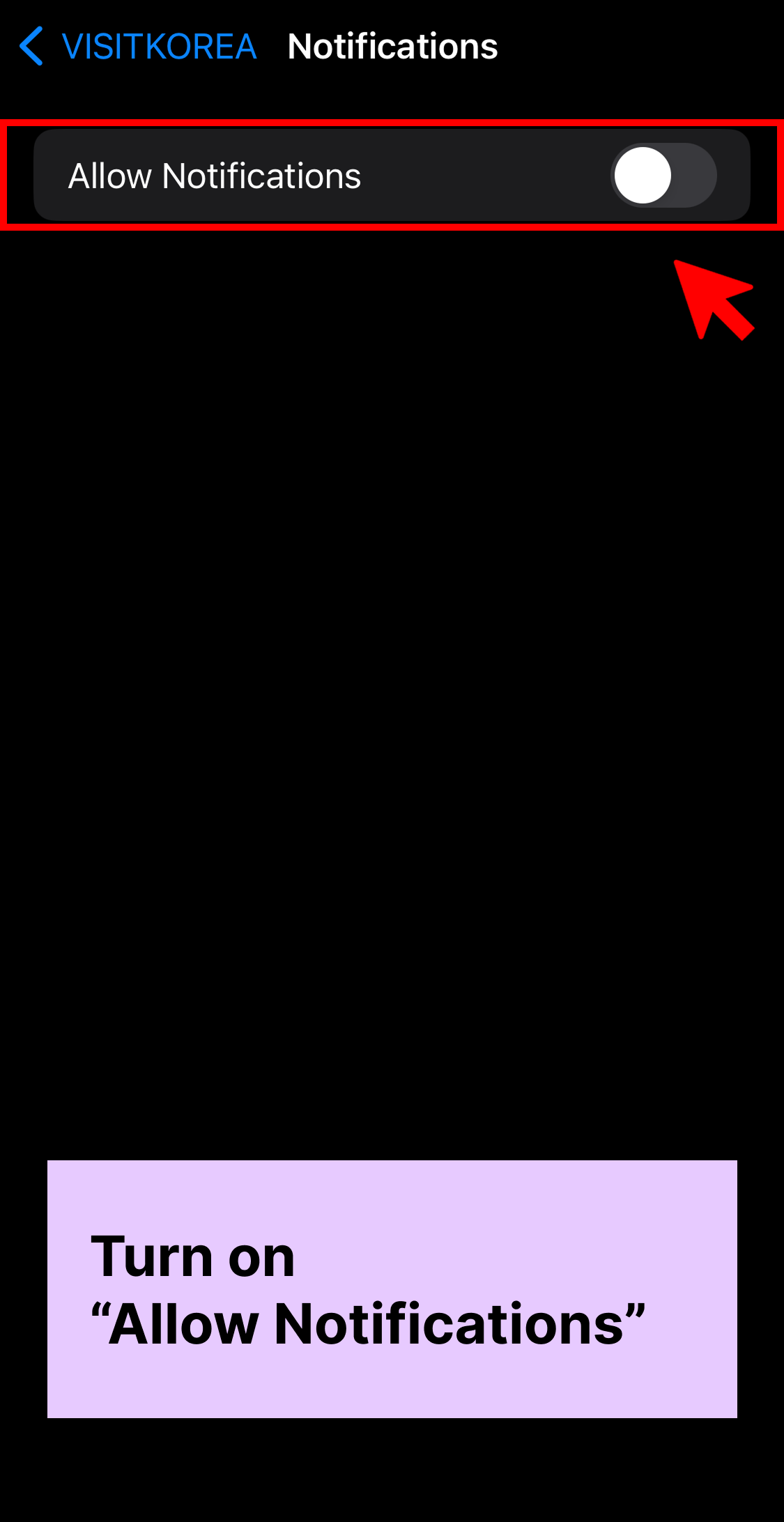
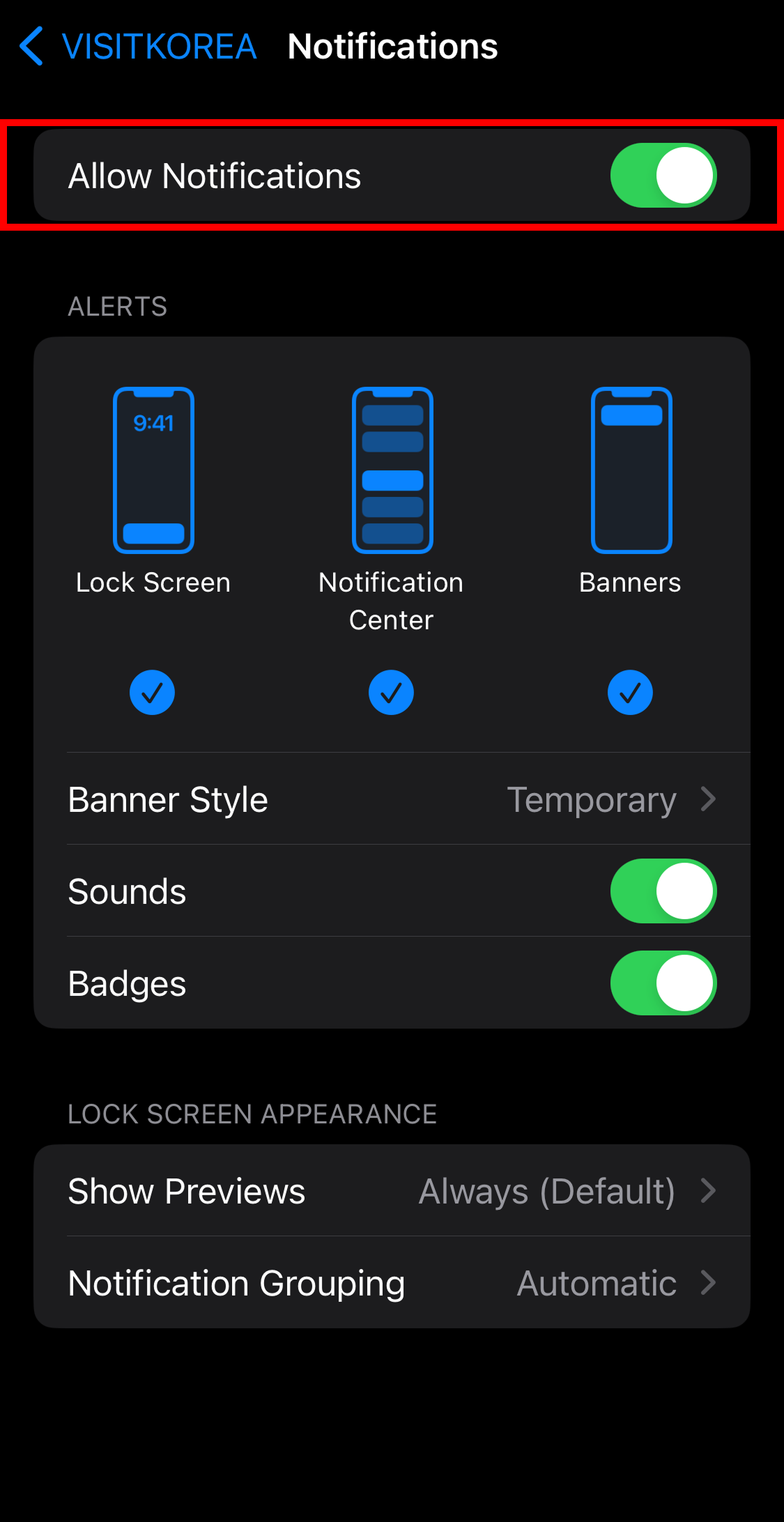
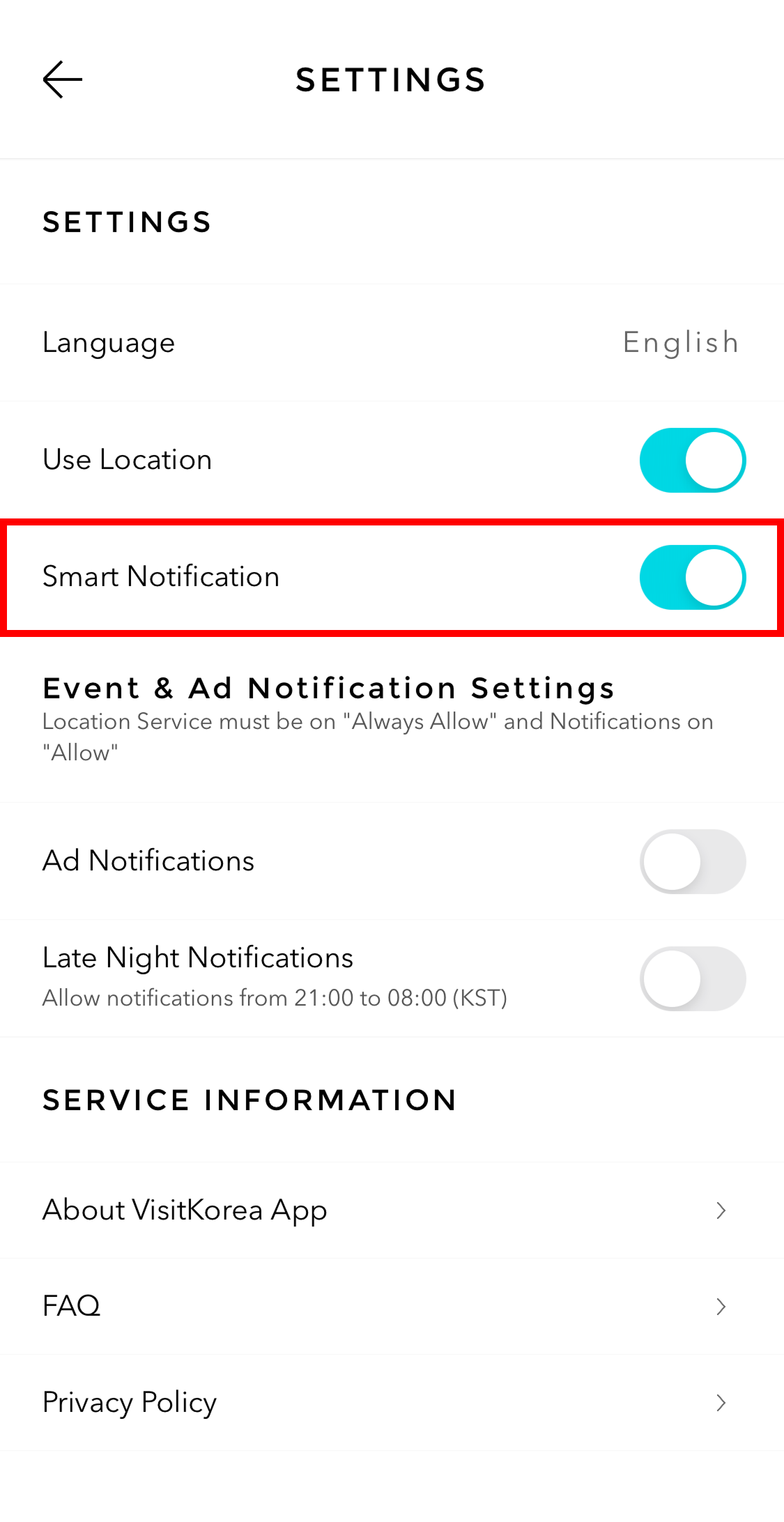
Image: VISITKOREA app screen On iOS: Go to app settings
* If you allow notifications on your phone’s Settings app, VISITKOREA app’s notification settings will be set to “Allow” by default. Turn on “Smart Notification”
Settings app
Activate “Allow Notifications” to allow notifications
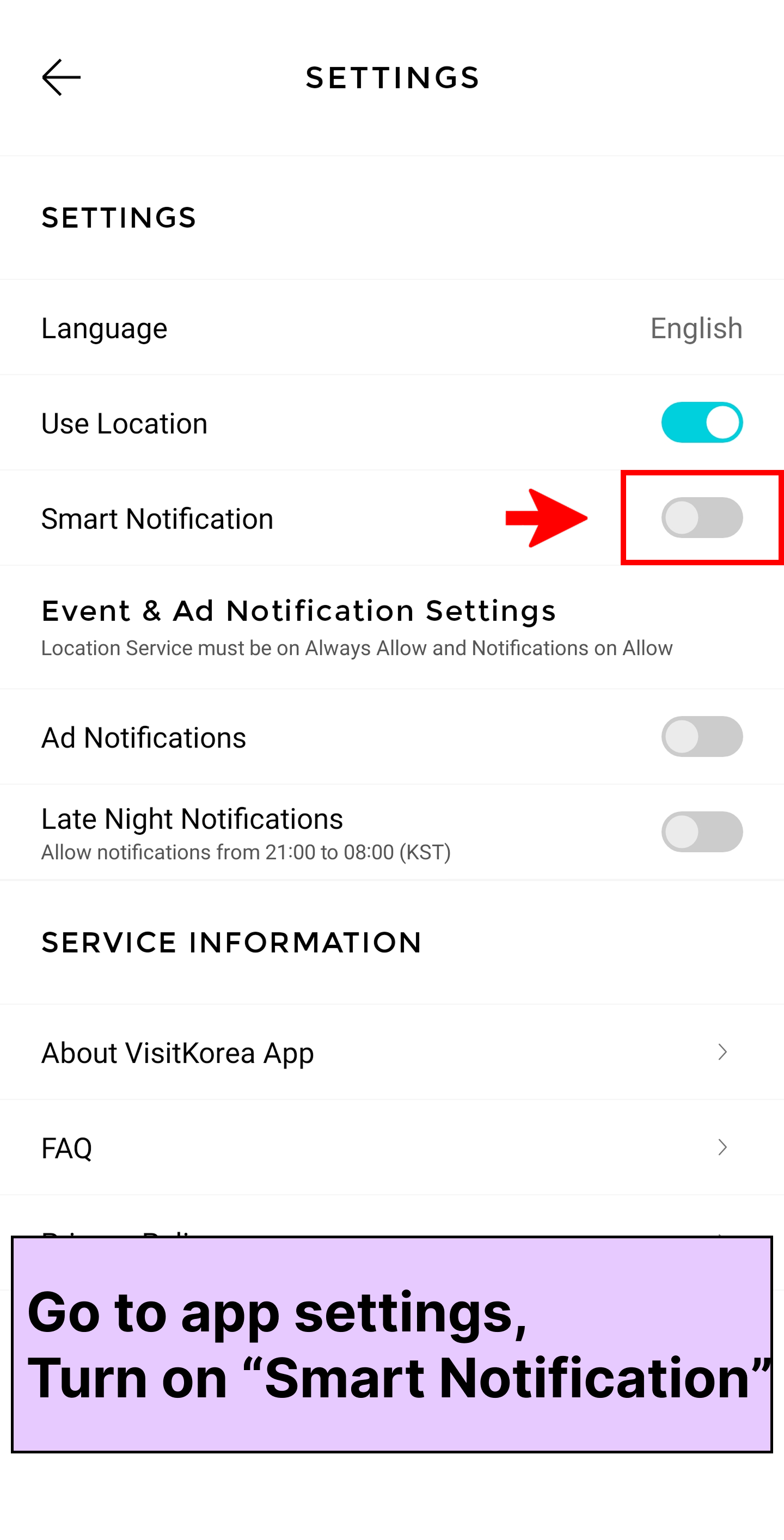
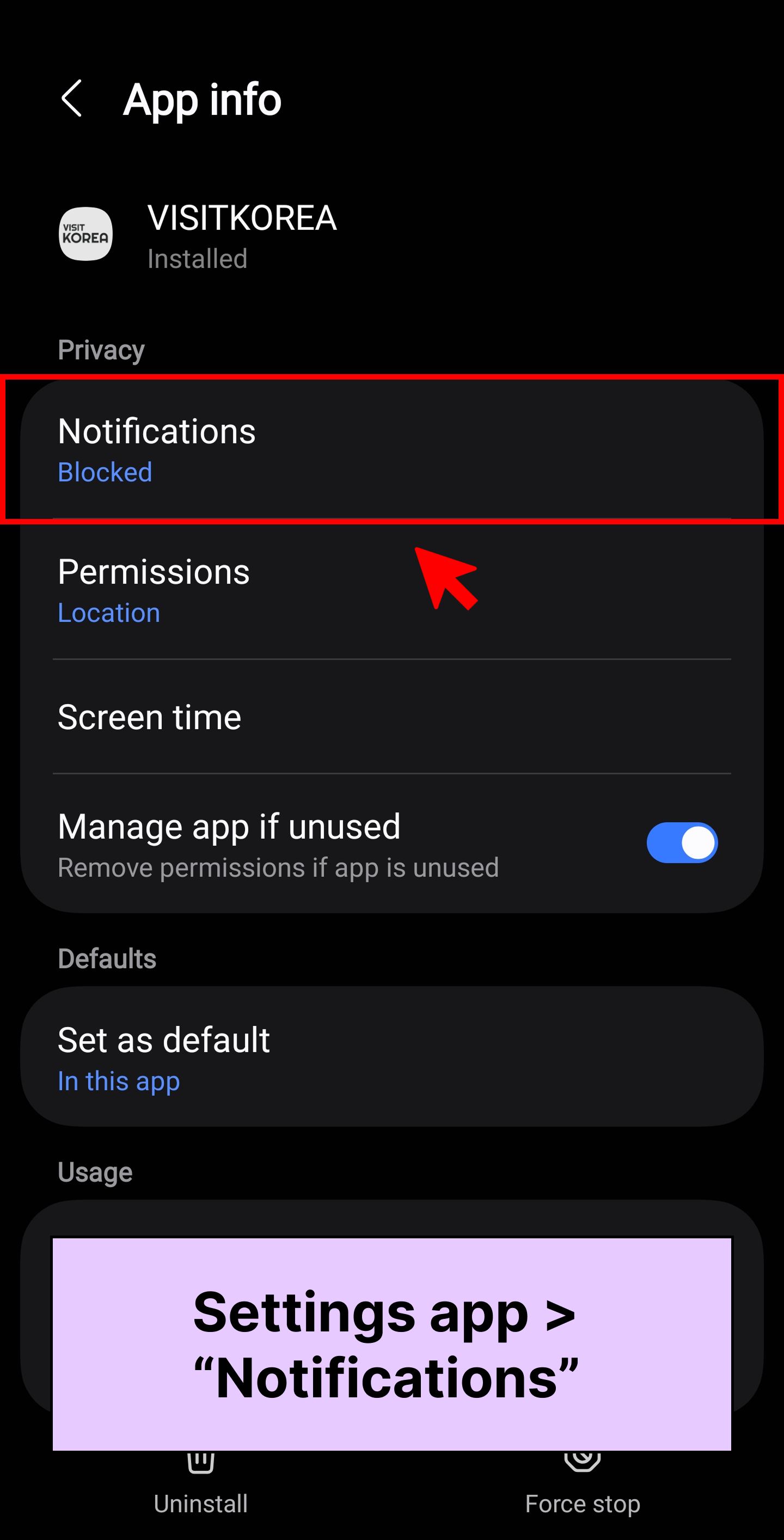
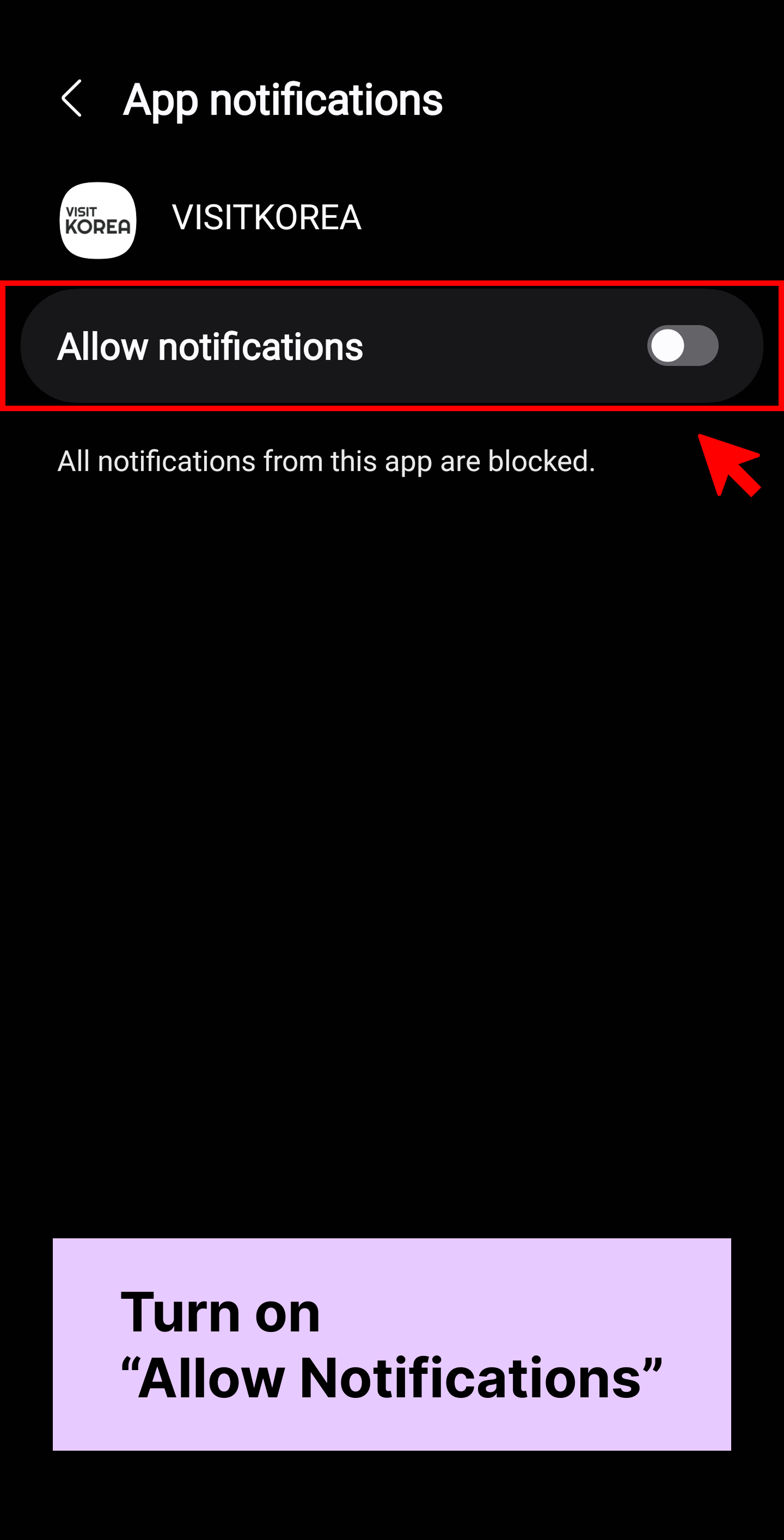
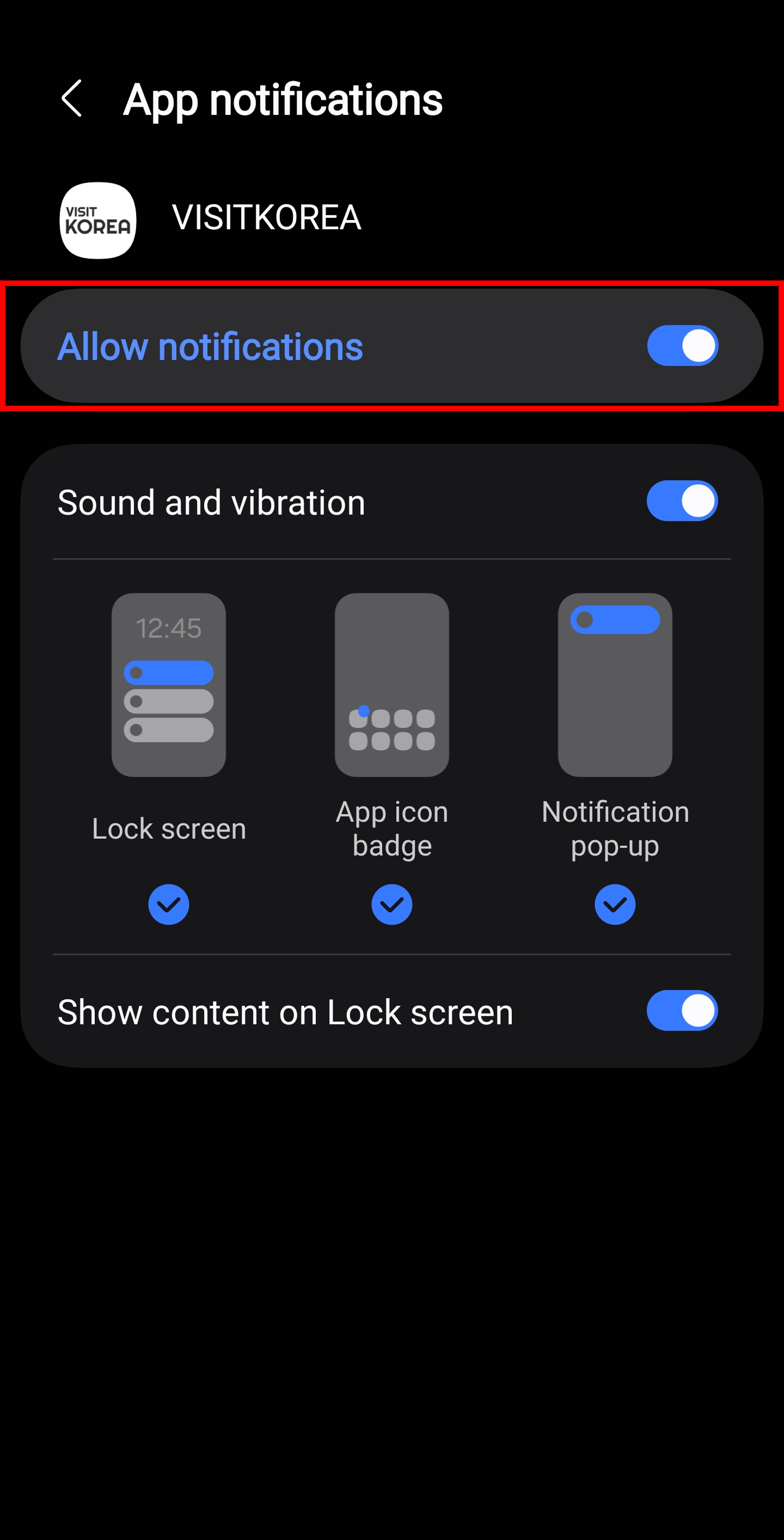
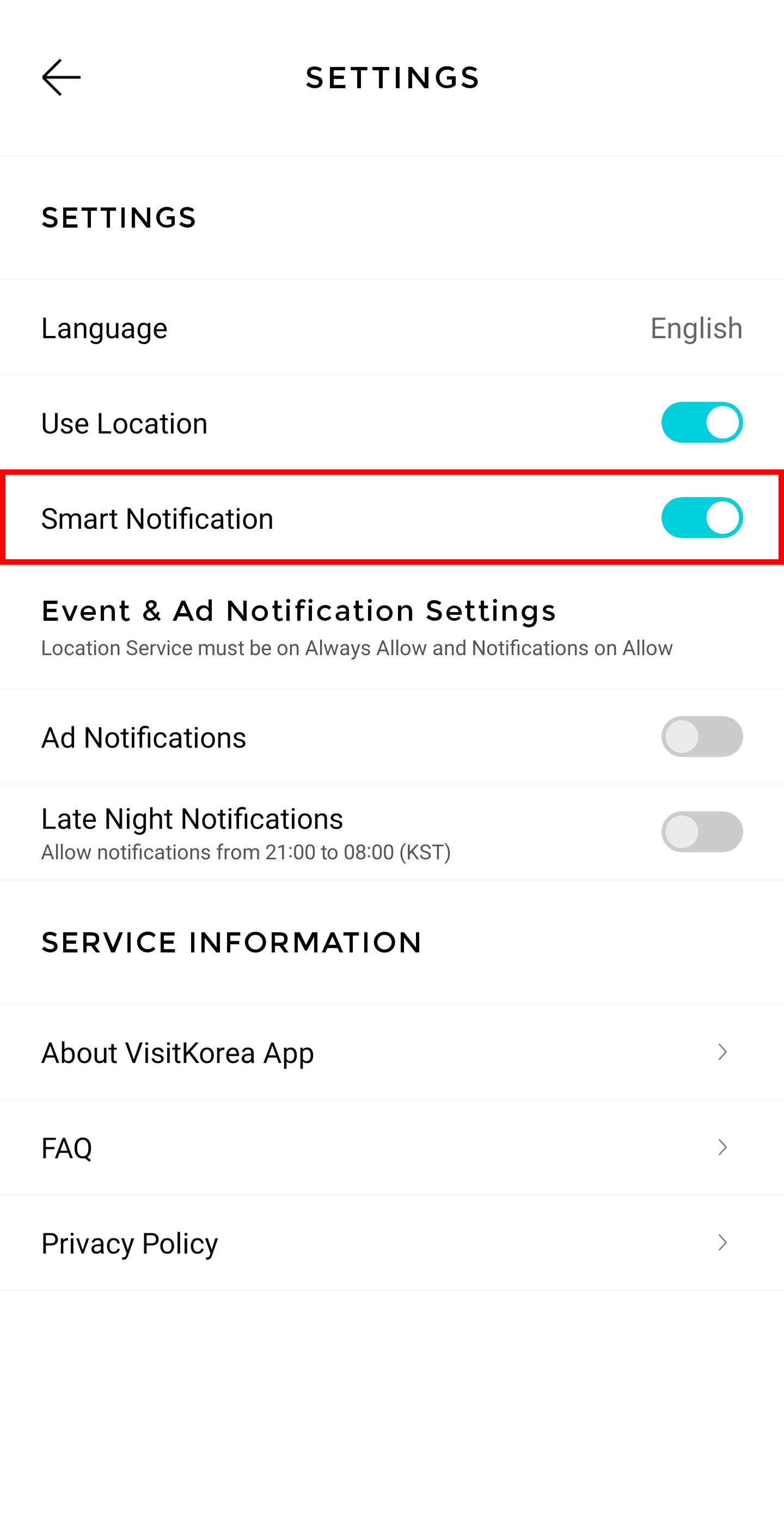
Image: VISITKOREA app screen On Android: Go to app settings
* If you allow notifications on your phone’s Settings app, VISITKOREA app’s notification settings will be set to “Allow” by default. Turn on “Smart Notification”
Settings app
Notifications
Turn on “Allow Notifications”
If your notifications are off, VISITKOREA won’t be able to notify you with news and special.
Make sure you have your notifications on to receive information on offers and deals around you!
Step 4. Allow Ad Notifications
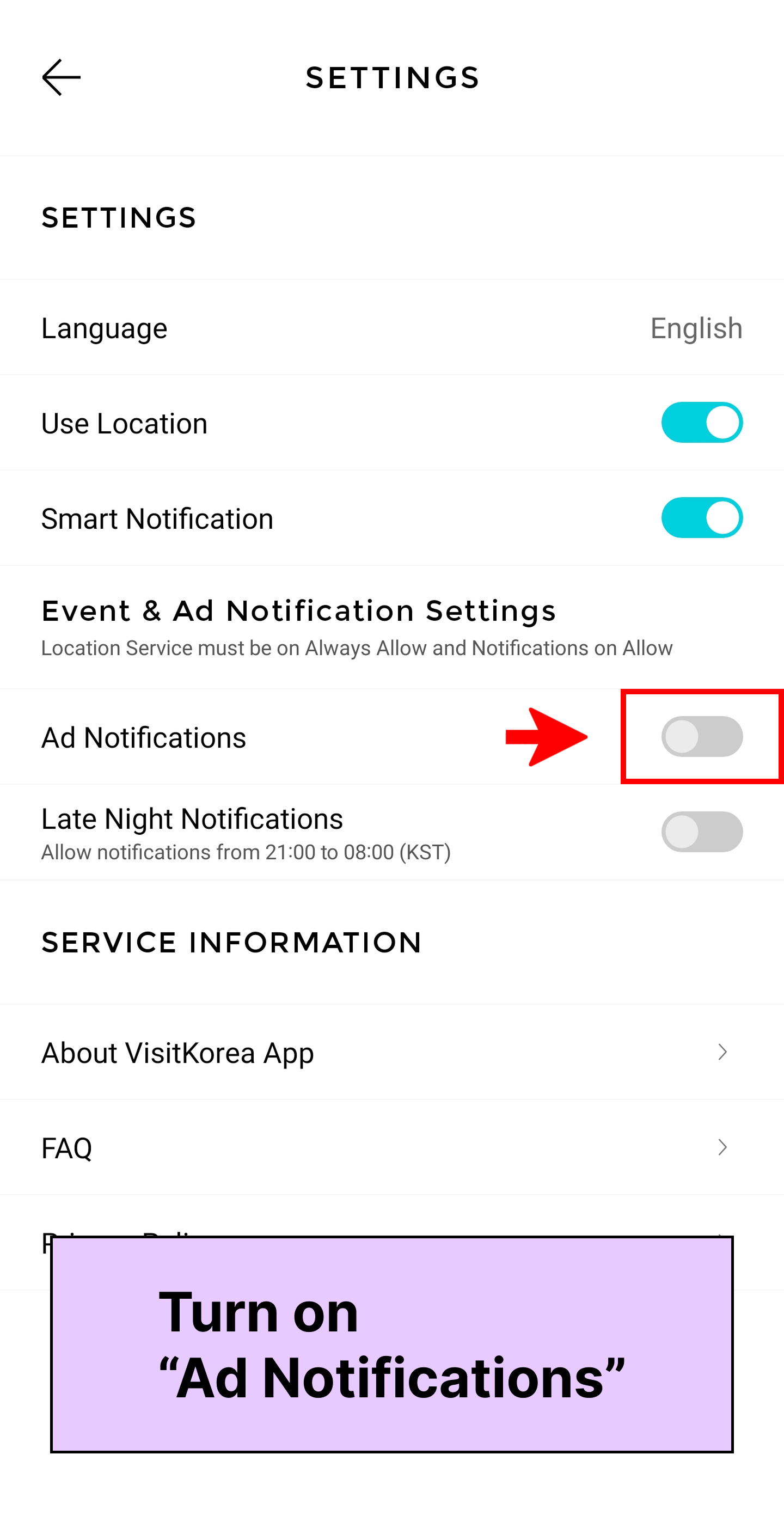
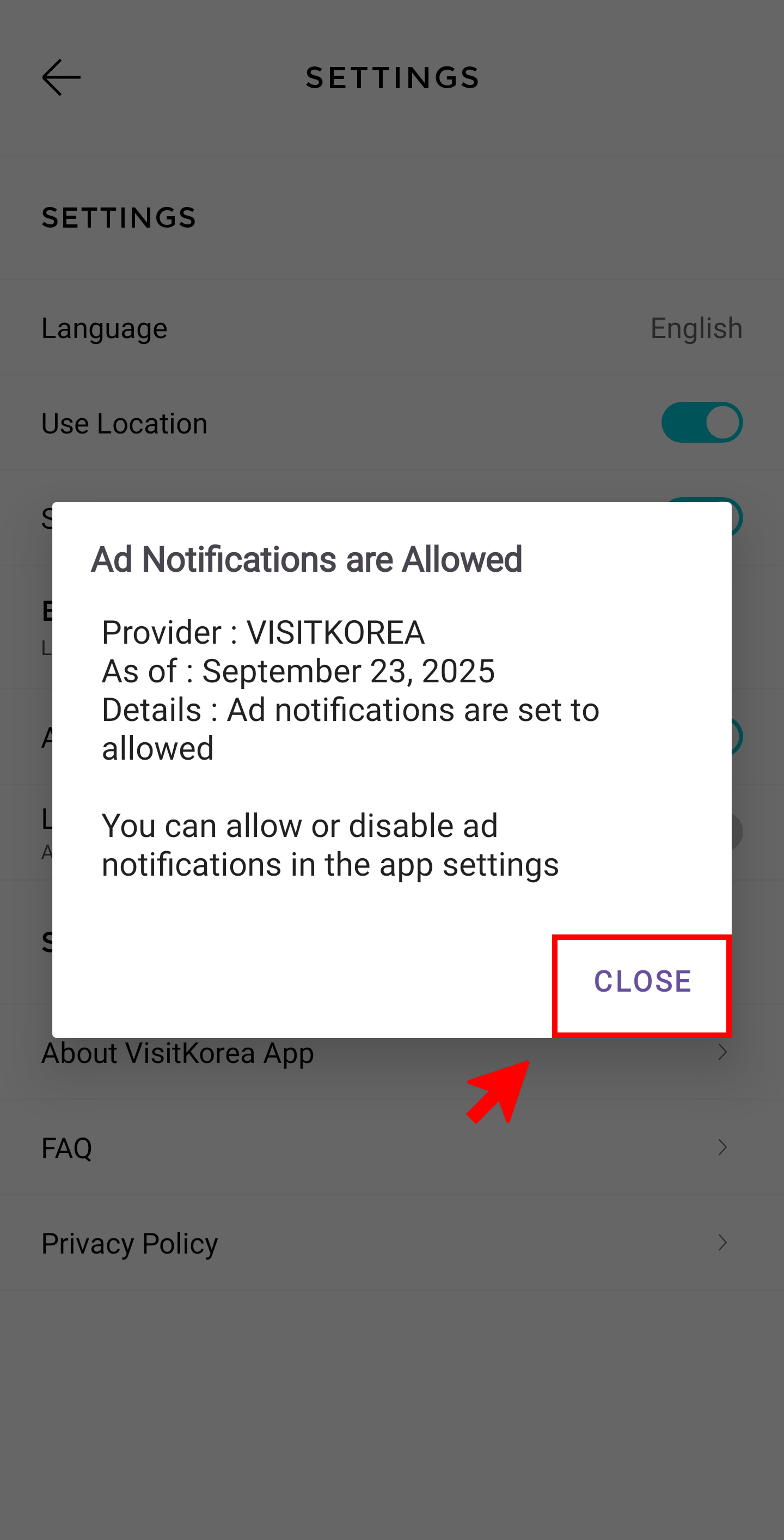
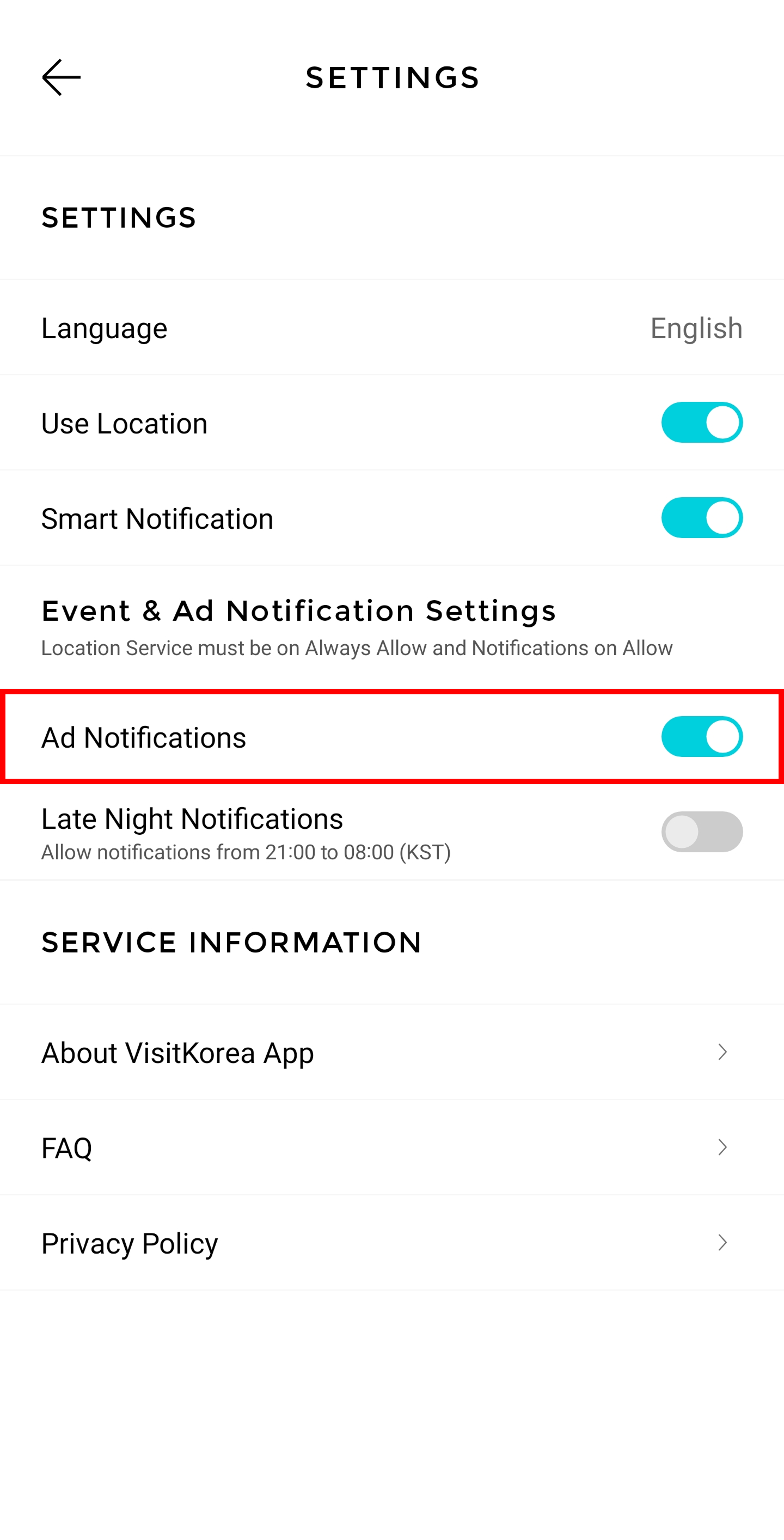
Image: VISITKOREA app screen Go to: VISITKOREA app settings
Limited offer and discount coupon notifications are categorized as ads. You need to have your Ad Notifications option on to receive all benefit and coupon alerts! Turn on Ad Notifications
* Once you turn on your Ad Notifications feature, you’ll be prompted to consent to receiving ad messages.
Step 5. Allow Late Night Notifications (Optional)
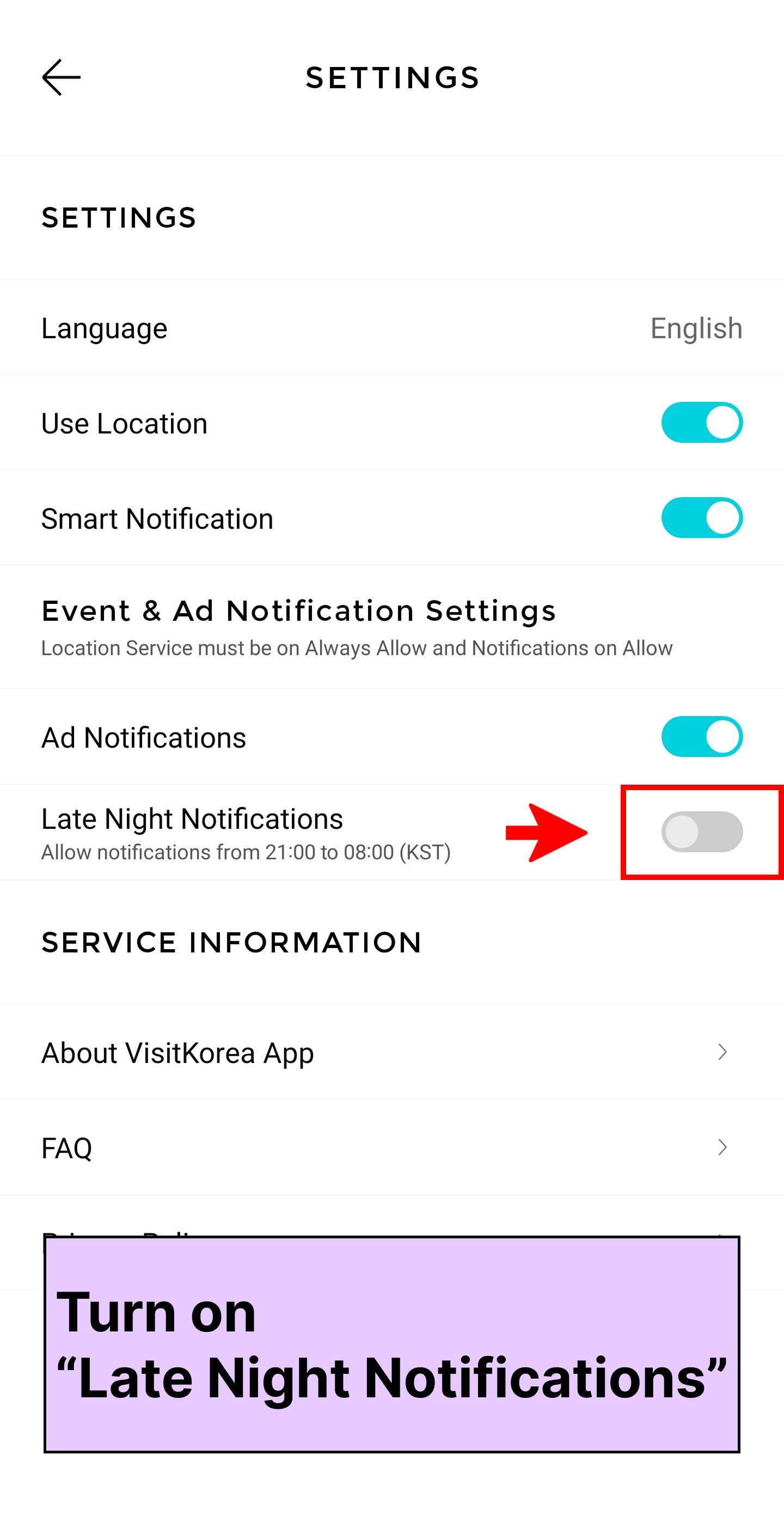
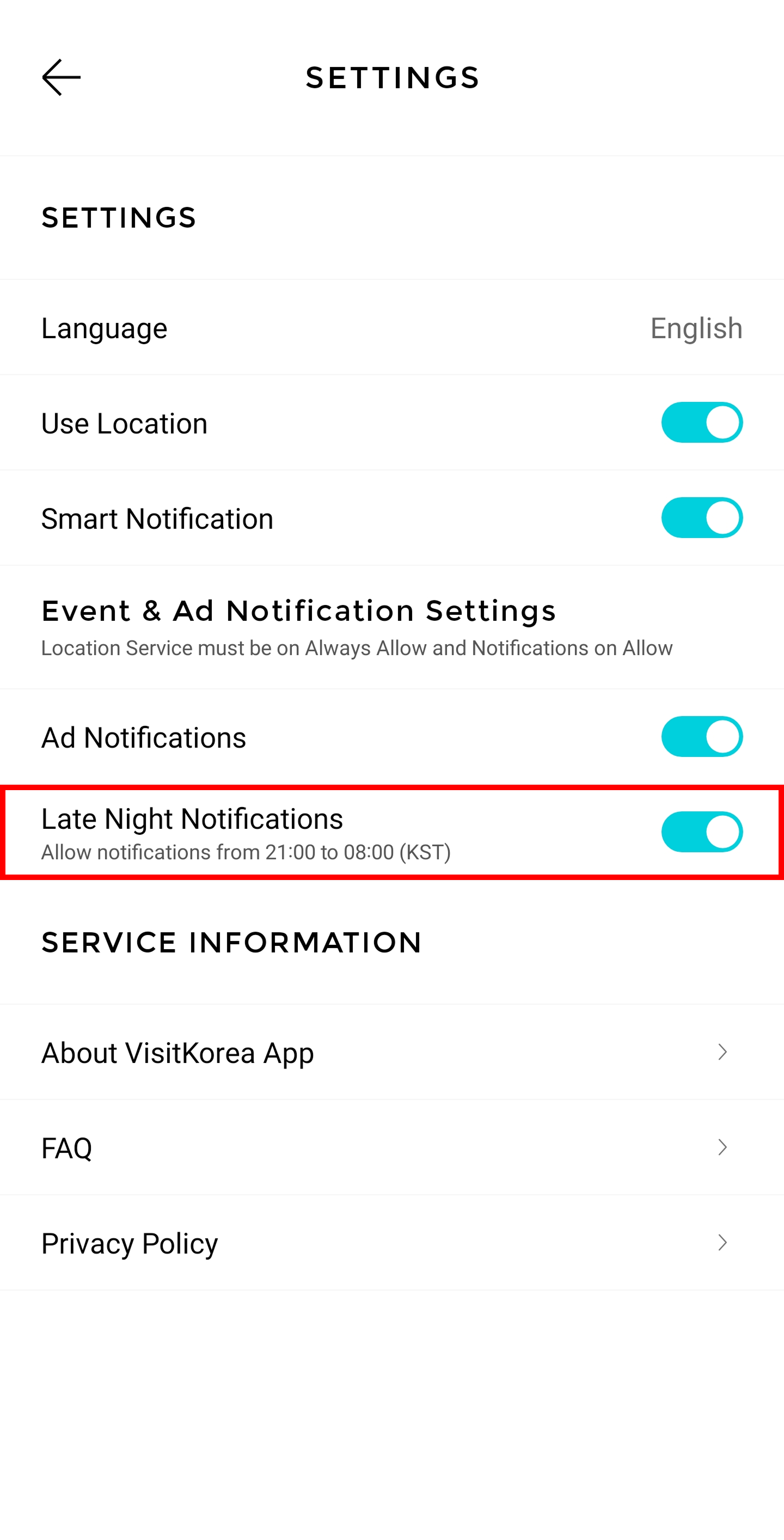
Image: VISITKOREA app screen Go to: VISITKOREA app settings
Late Night Notifications
You can choose to receive notifications late at night and early in the morning by turning on the Late Night Notifications option. This option will allow VISITKOREA to send notifications for events and special offers between 21:00 and 08:00 the following morning (KST) so that you don’t have to miss out on anything!
* This feature is optional and you can choose to turn it on or off based on your travel style.
Make your travel to Korea even more special with VISITKOREA app’s useful features!
- VISITKOREA mobile app
- Offered services: Travel Planner, Suggested Itineraries, travel information, themed content, and more
- Download
- App Store (iOS)
- Google Play (Android)

1330 Helpline Call/Chat

Start a FREE Online Call(No charges for calls on Wi-Fi /
Data charges may apply)

Open 1330 Helpline Chat(Download not required)